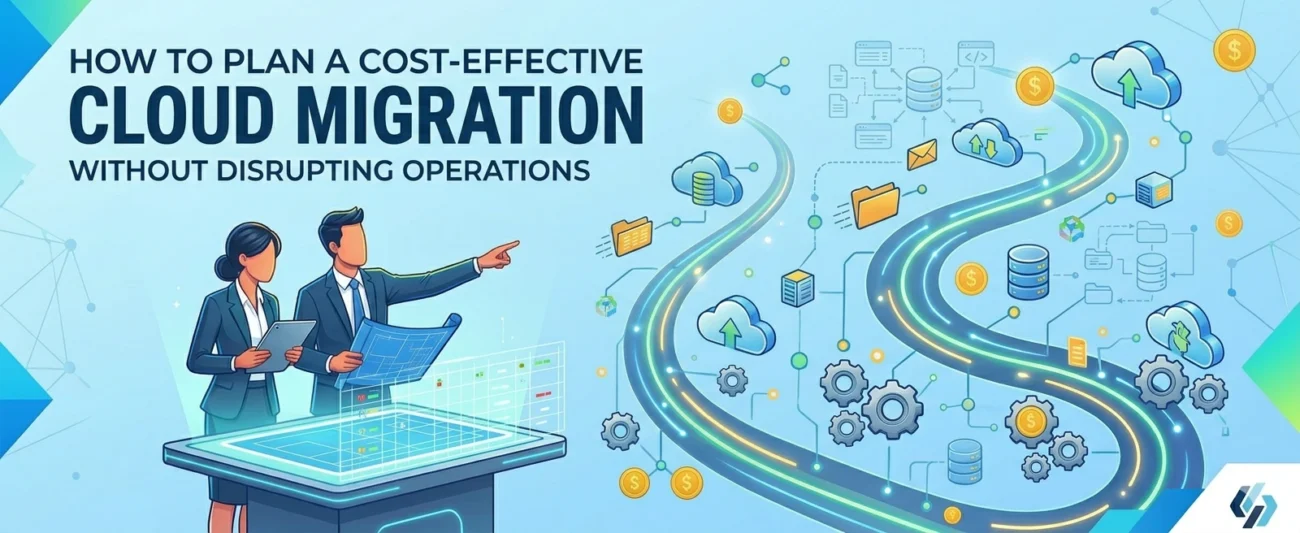
Cloud migration doesn’t have to mean business disruption. Whether you’re moving away from ageing on-premises infrastructure, consolidating costly data centres, or simply trying to reduce your monthly IT spend, the difference between a migration that succeeds and one that stalls often comes down to planning. This guide walks you through the strategies that DataOps IT uses to help organisations of all sizes migrate confidently without breaking the bank or the business.
Why Cloud Migration Is Worth Getting Right
Moving workloads to the cloud, AWS, Azure, or Google Cloud, unlocks genuine competitive advantages: elastic scalability, pay-as-you-go pricing, global reach, and managed services that eliminate the operational overhead of maintaining physical servers. But these benefits are only realised when migration is treated as a strategic initiative, not a rushed lift-and-shift exercise.
Organisations that fail to plan properly often discover hidden costs, unexpected downtime windows, and performance degradation that erodes the ROI they were promised. Conversely, businesses that invest in proper discovery, phased execution, and post-migration optimisation consistently reduce infrastructure costs by up to 30%, improve team productivity, and gain competitive agility.
Phase One: Start With a Thorough Discovery and Assessment
The most expensive mistakes in cloud migration happen before a single workload moves. Skipping discovery means you migrate technical debt, pay for infrastructure you don’t need, and encounter surprises mid-project that delay timelines and inflate budgets.
- Map your current environment completely. Begin by creating a full inventory of your existing infrastructure: every server, database instance, application dependency, integration point, and data flow. This isn’t just about knowing what you have, it’s about understanding what talks to what, and what would break if a single service went offline during migration. A comprehensive Database IT Health Check at this stage surfaces hidden performance issues, licensing risks, and architectural gaps before they become migration blockers.
- Classify workloads by migration complexity. Not all workloads are equal. Apply the well-known 6Rs framework to each application and database to determine the most appropriate migration path: Rehost (lift and shift fastest, lowest cost), Replatform (minor optimisations during migration), Repurchase (move to a SaaS alternative), Refactor (re-architect for cloud-native; highest ROI long-term), Retire (decommission unused or redundant systems), and Retain (keep on-premises for now due to compliance or latency requirements).
A pragmatic migration plan uses a mix of these strategies. Legacy ERP systems may only be suitable for rehosting initially, while newer microservices applications may warrant full refactoring to unlock cloud-native benefits like auto-scaling and serverless execution.
Build a Realistic Cost Model Before You Migrate
One of the most common causes of over-budget cloud migrations is a cost model built purely on compute and storage, ignoring the dozens of other cost drivers that appear in production cloud environments.
- Account for the hidden costs most teams overlook. When building your TCO (Total Cost of Ownership) model, account for data egress fees that cloud providers charge for data leaving their network, which can be substantial for data-intensive workloads. Also factor in inter-region data transfer, API call volumes, managed service licensing, and the cost of operating in multiple availability zones for redundancy. Teams that model only compute and storage typically see bills 20–40% higher than projected in their first quarter on the cloud.
- Right-size from day one. Avoid the common trap of simply mirroring on-premises instance sizes in the cloud. On-premises infrastructure is typically provisioned for peak load and then left static. Cloud infrastructure should be sized for the average load and scaled dynamically. Use cloud provider sizing tools and historical performance data from your monitoring stack to choose appropriate instance families, then use auto-scaling policies to handle spikes.
- Use Reserved Instances and Savings Plans strategically. For stable, predictable workloads such as production databases, application servers, and always-on services, committing to 1- or 3-year Reserved Instances or Savings Plans on AWS, Azure, or Google Cloud can reduce compute costs by 40–72% compared to on-demand pricing. The key is to validate your workload’s baseline before committing, so you’re not locking into over-provisioned capacity.
- Implement tagging and cost allocation early. One of the biggest governance failures in cloud migrations is deploying resources without proper cost allocation tagging. Without tags linking resources to business units, environments (dev/staging/prod), and projects, you quickly lose visibility into where money is going. Establish a tagging policy before migration day, and enforce it through infrastructure-as-code templates and cloud policy tools like AWS Config or Azure Policy.
Execute in Phases to Protect Business Continuity
A phased migration approach is the single most effective way to migrate without disrupting operations. Rather than a big-bang cutover that moves everything at once, phased migration keeps production stable while systematically moving workloads in order of risk and complexity.
The five stages of a well-run migration are: Discover (inventory and assess), Foundation (landing zone and VPC setup), Pilot (low-risk workloads first), Migrate (phased wave execution), and Optimise (cost and performance tuning).
- Build your landing zone first. Establish your cloud account structure, networking (VPCs, subnets, security groups), identity management, and monitoring before a single production workload arrives. This foundation prevents the most common security and governance failures that plague rushed migrations.
- Start with a low-risk pilot. Migrate a non-critical, non-customer-facing workload first. Use this as a learning exercise: validate your runbooks, test rollback procedures, and refine your tooling. The lessons learned here are invaluable before touching production systems.
- Plan migration waves. Group workloads into migration waves based on dependency mapping. Migrate tightly coupled applications together. Use wave planning to maintain clear rollback decision points and minimise the blast radius of any issues that arise.
- Run parallel operations. For critical databases and applications, run parallel environments during cutover, old and new simultaneously. This allows real-world traffic validation before final cutover and gives teams confidence to flip the switch without risk.
Treat Database Migration as a Separate Discipline
Database migration deserves its own section because it is categorically harder than migrating application tiers. Databases hold your most critical business assets, often have complex schema dependencies, and must maintain integrity throughout the migration process.
“The database is not just a component of your application; it is the memory of your business. Treat its migration with the care and precision that it warrants.”
- Use the right migration tooling for your platform. Platform-native tools like AWS Database Migration Service (DMS), Azure Database Migration Service, and Google Cloud Database Migration Service support homogeneous and heterogeneous migrations with minimal downtime using Change Data Capture (CDC). For Oracle databases, a common and complex source specialist support covering end-to-end migration, including licensing guidance, is essential.
- Validate data integrity rigorously. Post-migration data validation is non-negotiable. Row counts are the minimum; you should also validate referential integrity, checksums on critical tables, and application-level query results between source and target. Automated validation scripts should be prepared before migration day, not after.
- Plan for zero-downtime database cutovers. For most production databases, even a 15-minute maintenance window is unacceptable. Modern migration approaches use CDC replication to keep the source and target in sync continuously, enabling a cutover that is measured in seconds rather than hours. This requires careful planning of replication lag monitoring and a clear go/no-go decision framework.
Know Your Risks and Have Mitigations Ready
Every cloud migration carries risk. The organisations that manage it best are those that identify risks explicitly, assign ownership, and prepare mitigation strategies before issues arise.
- Data loss or corruption during migration (High severity): Mitigate with full validated backups, CDC replication, and post-migration integrity checks.
- Extended downtime during cutover (High severity): Mitigate with parallel run environments, thoroughly tested rollback procedures, and off-hours cutover windows.
- Application performance degradation (Medium severity): Mitigate with pre-migration load testing, right-sized instances, and CDN and caching layers deployed alongside the migration.
- Cost overrun in first 90 days (Medium severity): Mitigate with billing alerts, tagging policies, cost anomaly detection, and Reserved Instance commitments based on validated baselines.
- Compliance or data residency violation (High severity): Mitigate with pre-migration compliance mapping, data classification exercises, and region selection aligned to GDPR and UK data residency requirements.
- Skill gaps in cloud operations (Medium severity): Mitigate with a structured training programme, a managed cloud services partner, and thorough runbook documentation.
- Shadow IT or undocumented integrations (Low–Medium severity): Mitigate with a comprehensive discovery tooling, network traffic analysis, and wide stakeholder interviews before migration begins.
Optimise Continuously After You’re in the Cloud
Migration day is not the finish line; it’s the starting gun. The greatest cost and performance benefits of cloud come from continuous optimisation once your workloads are running. This is the phase most organisations under-invest in, and it’s where significant value is left on the table.
- Implement FinOps practices from week one. FinOps, the practice of bringing financial accountability to cloud spending, should begin immediately after migration. Set up cloud cost dashboards, establish regular cost review cadences with business stakeholders, and assign ownership of cloud spend to the teams generating it. Tools like AWS Cost Explorer, Azure Cost Management, and Google Cloud Billing are powerful when paired with organisational discipline.
- Use cloud-native managed services to reduce operational overhead. One of the most impactful post-migration decisions is moving from self-managed database instances to managed services, AWS RDS, Azure SQL Managed Instance, and Cloud SQL, which handle patching, backups, failover, and scaling automatically. This reduces operational burden dramatically and often improves reliability, allowing your team to focus on higher-value work.
- Establish performance baselines and set alerts. Post-migration monitoring should establish performance baselines for every critical workload within the first two weeks. Use these baselines to set intelligent alerting thresholds, not arbitrary percentages, so your operations team is alerted to genuine anomalies rather than drowned in noise. 24/7 database performance monitoring across cloud and hybrid environments gives you the visibility needed to catch and resolve issues before users notice them.
Why Businesses Trust DataOps IT for Cloud Migration
Cloud migration is a complex, high-stakes initiative that touches every layer of your technology stack. Getting it right requires more than a set of tools; it requires experienced practitioners who have seen migrations succeed and fail, and who can guide your team through the nuances that generic playbooks miss.
At DataOps IT, our Cloud Migration service is built on a proven six-stage methodology: Discovery and Assessment, Architecture Design, Pilot Migration, Wave Execution, Testing and Optimisation, and Ongoing Managed Support. We work as an extension of your team, not a vendor, handing over a report, ensuring knowledge transfer, documented runbooks, and trained internal staff at every stage.
What that means in practice: AWS, Azure, and Google Cloud migration expertise across all major workload types; dedicated Oracle and SQL Server migration specialists for complex database environments; GDPR and UK data compliance expertise built into every migration plan; post-migration managed services for ongoing cost and performance optimisation; transparent, fixed-scope engagements with no surprise billing; and 24/7 support and monitoring throughout and after the migration.
Ready to plan your cloud migration? Book a free consultation with DataOps IT’s cloud migration specialists. We’ll assess your current environment, identify quick wins, and design a phased migration plan tailored to your business at a cost your CFO will approve. Visit dataopsit.io to get started.